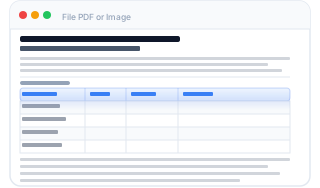
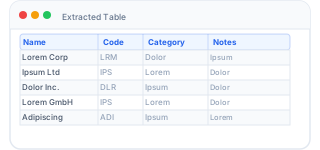
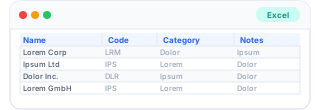
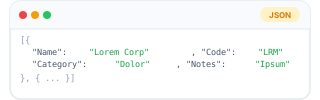
Tables from PDFs & Images – directly as CSV, Excel or JSON.
No more manual retyping. pdf2list detects tables in PDF and images automatically and exports them as clean, Excel-compatible CSV or JSON.
Everything stays on your device.
Upload a file – table gets detected – download your data. No registration required. Your files never leave your device.
pdf2list – Table Extractor
Drop files here or browse
PDF · Image (.png/.jpg/.jpeg/.tiff/.bmp/.webp)
Your file stays on your device – nothing is uploaded or stored.
Processing…
Errors during processing:
0Rows
0Columns
0Files
Preview
Features
Everything you need.
pdf2list does the tedious work – you get clean, structured data.
Extract PDF tables
Detects tables in digital PDFs precisely – across multiple pages, with or without grid lines.
Export as CSV, Excel or JSON
Download your extracted data as semicolon CSV, .xlsx spreadsheet, or JSON – whichever fits your workflow.
Tables from photos & scans
Upload a photo, screenshot or scanned document – Optical Character Recognition (OCR) reads the text automatically and reconstructs the table, right in your browser.
Borderless tables
Tables without grid lines are detected via spatial text positioning and column clustering.
CSV with one click
Semicolon-separated CSV with UTF-8 BOM – opens correctly in Excel, Numbers and Google Sheets.
100% local & private
Files never leave your device. No cloud, no data sharing. Everything runs in your browser.
How it works
3 steps to your CSV.
No installation, no setup – just upload a file and download.
1
Upload your file
Drag and drop a PDF document or image (photo, screenshot, scan) into the upload area – or click to browse.
2
Table is detected automatically
pdf2list analyses columns and rows in your file – using text coordinates for PDFs and OCR pixel analysis for images.
3
Download as CSV, Excel or JSON
Export your structured table in the format that fits best – ready to open in Excel, Google Sheets or any data tool.
See it in action
Text, table — one file, clean export.
pdf2list ignores the surrounding text and focuses on the table. The result lands directly in your spreadsheet — with correct rows, columns and encoding.
pdf2list reads the table exactly as it appears in the file. The Configurator lets you take control before you export: rename fields, set the column order, drop what you don't need — and save your mapping as a reusable template for the next file.
Rename any column with a custom label
Reorder columns by drag & drop
Exclude columns you don't need in the export
Split combined fields into separate columns
Save your mapping as a reusable template
FAQ
Frequently asked questions.
Digital PDFs (with embedded text) are processed directly and very precisely. Scanned PDFs work if you first export them as images.
For clear, high-resolution scans or screenshots the recognition rate is above 95%. We recommend at least 150 DPI and high-contrast images for best results.
No – your files are never uploaded anywhere. Everything happens directly on your device, inside your browser. Think of it like a calculator: you type in numbers and get a result, but nothing leaves your phone or computer. pdf2list works the same way: your file goes in, your table comes out – and nothing in between ever touches an external server.
Yes, modern browsers are surprisingly powerful. When you click "Extract tables", your browser reads the file locally – like opening it in Word or Acrobat – analyses the layout, and converts the table into structured data. The result is then offered as a download. At no point does your file leave your device. This also means pdf2list works completely offline once the page has loaded.
Yes. The CSV export uses UTF-8 with Byte Order Mark (BOM) – a small invisible marker at the start of the file that tells Excel and other programs which character encoding to use. Without it, programs like Excel on Windows sometimes misread umlauts and accented characters. With it, Ä, Ö, Ü, é, ñ and similar characters display correctly out of the box. OCR supports German, English and many other languages.
Yes, you can upload multiple files simultaneously. All tables are merged and exported as a single CSV file.
No – the Free plan works without any registration. You can convert up to 2 files per month without providing an email address or creating an account. If you need more conversions, a Pro or Expert subscription requires an email address for account creation and payment via Stripe. On the Free and Pro plans we store only your email and subscription status – no file content is ever saved. The Expert plan additionally offers optional temporary file storage (automatically deleted after 7 days) so you can use the column configurator. You can delete your account at any time.
There are plenty of tools out there – we tested two to three dozen of them. Most fell into one of two categories: either expensive enterprise software packed with features you will never need, or free online converters that barely work. The results were often disappointing: everything ended up in a single column, rows were merged incorrectly, or the formatting was simply lost. We built pdf2list because we needed something that does exactly one thing and does it properly: take a table from a PDF or image and give back a clean, correctly structured file. No fluff, no subscription traps, no desktop install required.
Many tools start as a simple converter and gradually become a full document management suite. With every added feature, the core function suffers. pdf2list deliberately stays focused: drop a file, get a clean table, download it. No account wall on first use, no settings wizard, no dashboard to navigate. We will add features only where they genuinely help with the conversion – and nothing more.
We actively want to hear about issues – that is the only way we can improve. To reproduce and fix a problem we usually need the file that caused it and a short description of what went wrong (e.g. "all values ended up in one column"). If you send us a file, that file will be used solely to diagnose the issue and deleted afterwards. It will never be shared or used for any other purpose. A report form is coming soon; in the meantime please reach out via the contact link in the footer.
Ready to save time?
Upload your first file – free, no registration required.